Showing posts with label Final. Show all posts

Tuesday, June 9, 2015

Ampere Pro v1.52 Final Apk Full Version

Ampere apkmania
Ampere Pro v1.52 Final
Requirements: 4.0+
Overview: Did you ever felt, that one Charger/USB cable set charges your device really fast and the other not? Now, you can prove this with Ampere.

Measure the charging and discharging current of your battery.
The app works on Android 4.0.3+ devices. Not every device is supported because there are devices which lacks an appropriate measurement chip (or the interface) and they can not be supported at all. Please read the list of not supported phones at the end of the description.
The app is not meant to be mA accurate. It is only good for evaluate which Charger/USB cable combo is working the best for you on the same device.
Start the app and wait ca. 10 seconds ("measuring" is on the display). After this time, the charging or discharging current will be shown.
The current depends on many things:
- Charger (USB/AC/Wireless)
- USB cable
- Phone type
- Current tasks running
- Display brightness
- WiFi state
- GPS state
Please don't use the readings on this app as concrete science. However, the readings are good enough to relatively measure how various chargers and USB cables fair on the same device.
If your Lollipop device (or later) shows 0 all the time, please use the settings option "Old measurement method". You can force the app with it to use the old measurement interface, if the Lollipop device has at least one.
Unfortunately some Samsung devices don't give correct (measured) values (e.g.: S5), just the maximum possible charging current with the actual USB cable/charger configuration. This is a firmware problem.
About notification and background measurement:
- The measurement works in the background only if you switch on the notification in the settings.
- You can hide the notification icon by setting the notification priority to minimum.
----
Background info: The app measures the charging/discharging current of the battery. If your phone is not connected to a charger, you see the discharging current which is negative. If you connect a charger then the current what the charger gives will be used to supply your phone and the remaining power will be charged into the battery.
If your phone consumes 300 mA without a charger connected (-300mA on the display), then a 500 mA charger will charge your battery maximum with 200 mA current (200mA on display).
----
Technical info: The displayed current is an average value from 50 measurements minus the 10 upper values and the 10 lower values. The displayed current can be shaky or unstable or even just zero which means, that the Android system provides such unstable values. Every company uses different battery types and other hardware making it difficult to get accurate results about your charger.
----
LiPo batteries don't draw the maximum for the full time it takes to charge the phone. If your battery is charged almost full then the charging current will be much less as by lower battery levels.
- A graph explaining LiPo charge stages: http://batteryuniversity.com/_img/content/ion1.jpg
- Dave's (EEVBlog) LiPo Charging Tutorial: EEVblog #176 - Lithium Ion/Polymer Battery Charging Tutorial - YouTube
----
Phones/ROMS compatible only with "Old measurement method" switched on and selected the right "Measurement interface":
➤ HTC One M7 / M8
Phones/ROMS reported to be not working with this app:
➤ Galaxy Grand Prime - fortuna3gdtv
➤ Galaxy Note2 - t03g, t03gchn, t03gchnduos, t03gcmcc, t03gctc, t03gcuduos
➤ Galaxy S3 - d2att, d2spr, d2vmu
➤ Galaxy Tab4 7.0 - degas3g
➤ HTC Desire 510 - htc_a11ul8x26
➤ HTC One S (ville), X (endeavoru), XL (evita)
➤ HTC Sensation 4G - pyramid
Please do not give wrong rating, if your phone is one of the above. Not the app is wrong, but your phone does not support this kind of measurement yet.
WHAT'S NEW
v1.51 & v1.52:
* Unnecessary permissions removed
* New: Background styles for Android Wear alerts
* New: Icon styles for Android Wear alerts
* Language updates
* Bug fixes
Ampere FAQ: SPAM | Lost in Cyberspace
For more info please read the change history: Settings => About Ampere => Change history

This app has no advertisements

More Info:
https://play.google.com/store/apps/details?id=com.gombosdev.ampere
Download Instructions: PRO features Unlocked
https://userscloud.com/0vn8qjuk302z
Mirrors:
Download amp152 apk
http://ul.to/vh6obi8j

Ampere Pro v1.51 Final Apk Full Version

Ampere apkmania
Ampere Pro v1.51 Final
Requirements: 4.0+
Overview: Did you ever felt, that one Charger/USB cable set charges your device really fast and the other not? Now, you can prove this with Ampere.
Ampere Pro v1.51 Final Apk Full VersionAmpere Pro v1.51 Final Apk Full Version
Measure the charging and discharging current of your battery.
The app works on Android 4.0.3+ devices. Not every device is supported because there are devices which lacks an appropriate measurement chip (or the interface) and they can not be supported at all. Please read the list of not supported phones at the end of the description.
The app is not meant to be mA accurate. It is only good for evaluate which Charger/USB cable combo is working the best for you on the same device.
Start the app and wait ca. 10 seconds ("measuring" is on the display). After this time, the charging or discharging current will be shown.
The current depends on many things:
- Charger (USB/AC/Wireless)
- USB cable
- Phone type
- Current tasks running
- Display brightness
- WiFi state
- GPS state
Please don't use the readings on this app as concrete science. However, the readings are good enough to relatively measure how various chargers and USB cables fair on the same device.
If your Lollipop device (or later) shows 0 all the time, please use the settings option "Old measurement method". You can force the app with it to use the old measurement interface, if the Lollipop device has at least one.
Unfortunately some Samsung devices don't give correct (measured) values (e.g.: S5), just the maximum possible charging current with the actual USB cable/charger configuration. This is a firmware problem.
About notification and background measurement:
- The measurement works in the background only if you switch on the notification in the settings.
- You can hide the notification icon by setting the notification priority to minimum.
----
Background info: The app measures the charging/discharging current of the battery. If your phone is not connected to a charger, you see the discharging current which is negative. If you connect a charger then the current what the charger gives will be used to supply your phone and the remaining power will be charged into the battery.
If your phone consumes 300 mA without a charger connected (-300mA on the display), then a 500 mA charger will charge your battery maximum with 200 mA current (200mA on display).
----
Technical info: The displayed current is an average value from 50 measurements minus the 10 upper values and the 10 lower values. The displayed current can be shaky or unstable or even just zero which means, that the Android system provides such unstable values. Every company uses different battery types and other hardware making it difficult to get accurate results about your charger.
----
LiPo batteries don't draw the maximum for the full time it takes to charge the phone. If your battery is charged almost full then the charging current will be much less as by lower battery levels.
- A graph explaining LiPo charge stages: http://batteryuniversity.com/_img/content/ion1.jpg
- Dave's (EEVBlog) LiPo Charging Tutorial: http://youtu.be/A6mKd5_-abk
----
Phones/ROMS compatible only with "Old measurement method" switched on and selected the right "Measurement interface":
➤ HTC One M7 / M8
Phones/ROMS reported to be not working with this app:
➤ Galaxy Grand Prime - fortuna3gdtv
➤ Galaxy Note2 - t03g, t03gchn, t03gchnduos, t03gcmcc, t03gctc, t03gcuduos
➤ Galaxy S3 - d2att, d2spr, d2vmu
➤ Galaxy Tab4 7.0 - degas3g
➤ HTC Desire 510 - htc_a11ul8x26
➤ HTC One S (ville), X (endeavoru), XL (evita)
➤ HTC Sensation 4G - pyramid
Please do not give wrong rating, if your phone is one of the above. Not the app is wrong, but your phone does not support this kind of measurement yet.
WHAT'S NEW
v1.51:
* New: Background styles for Android Wear alerts
* New: Icon styles for Android Wear alerts
* Language updates
* Bug fixes
Ampere FAQ: http://goo.gl/R8XgXX
For more info please read the change history: Settings => About Ampere => Change history

This app has no advertisements

Google Play
Download Ampere Pro v1.51 Final Full Version Apk or Apk

Friday, June 5, 2015

Chrome Browser v43.0.2357.78 Final

Chrome Browser - Google apkmania
Chrome Browser v43.0.2357.78 Final (All Versions)
Requirements: 4.0+
Overview: Browse fast on your Android phone and tablet with the Google Chrome browser you love on desktop.

Pick up where you left off on your other devices with tab sync, search by voice, and save up to 50% of data usage while browsing.
• Sync Across Devices - seamlessly access and open tabs and bookmarks from your laptop, phone or tablet
• Save Data - reduce mobile data usage by up to 50% while browsing
• Faster Browsing - choose from search results that instantly appear as you type and quickly access previously visited pages
• Voice Search - use the magic of Google voice search to find answers on-the-go without typing
• Translate - easily read webpages in any language
• Intuitive Gestures - open as many tabs as your heart desires and quickly flip through them by swiping from side to side on the toolbar
• Privacy - use Incognito mode to browse without saving your history
WHAT'S NEW
• Get the latest updates from sites with notifications.
• Adding your favorite sites to your homescreen is now even easier.
• Bug fixes and speedy performance improvements.

This app has no advertisements

Google Play
Download Instructions:
arm:
https://userscloud.com/n4m3kjvm0xnf
Mirrors:
http://ul.to/iby7fs51
http://www.tusfiles.net/3jyj56m45u8w
x86:
https://userscloud.com/5ppmdaenosx6
Mirrors:
http://ul.to/h4faysfi
http://www.tusfiles.net/28p4rybhrx7n

Sunday, March 29, 2015

Tasker v4.7 b6

Tasker v4.7 b6
Total Automation, From Settings to SMS.
* Triggers: App, Time, Day, Location, Hard/Soft State, Event, Shortcut, Widget, Timer, Plugins
* Actions: 200+ built-in, plugin support
* Tasks: loops, variables, conditions
* Scenes: design your own screen overlays
* App Creation: create your own standalone apps to share or sell! (Android 2.3+)
Trial: http://tasker.dinglisch.net/dl
Starter Guides: http://tasker.dinglisch.net/guides.html
Queries, Problems: see Menu / Info / Support in-app
It's not possible to fix problems reported via Play Store Comments...


***** Plugin Support Petition *****
If you have an app you want to automate with Tasker, support this user-organised petition:
https://www.change.org/petitions/app-developers-add-tasker-integration-to-your-applications
****** Actions By Category ******
[not all actions available on all devices]
* ALERT: Flash, Notify LED/Sound/Vibrate, Cancel Notification, Popup Timed/WithTaskIcons/Names, Torch, Vibrate, Vibrate Pattern
* APP: Calendar Insert, Go Home, Kill App, Load App, Open Map (/StreetView/Nav)
* AUDIO: Alarm/Call/DTMF/Media/Notif./Ringer/System Volume, Haptic Feedback Toggle, Mic Mute, Notification Pulse, Notification(<4.1)/Ringer Vibrate (<4.2 or root), Silent Mode, Speakerphone, Sound Effects toggle
* DIALOG: 28 System Settings dialogs
* DISPLAY: Auto-Brightness, Close System Dialogs, Keyguard, Keyguard Pattern, Display Brightness, Display Off Timeout, Display Rotation, Set Wallpaper, Stay On, Status Bar (expand/collapse)
* FILE: Browse Files, Directory Create/Delete/Move, File Copy/Delete/Move/Open, Write To File, Read Line, Read Paragraph, Zip/Unzip File
* INPUT: Button, Dpad, Type (root only), Input Method Select, Soft Keyboard (show)
* MEDIA: Media Button Events (grab), Media Player Control, Music File/Dir, Play/Forward/Back/Stop, Photo/Series/TimeSeries, Record Audio, Record Audio Stop, Ringtone, Scan Card
* MISC: (Broadcast) Action Intent, Component Intent, Get Location, GPS Status (<2.3 or Cyanogen/submod), Run (ASE) Script, Say, Say To File, Shut Up, Search For, Set Clipboard, Reboot (root only), Set CPU (root only) Set Timezone
* NETWORK: Airplane Mode (<4.1 or root), Autosync, BT, BT ID, Compose Email, Browse URL, HTTP GET, HTTP POST, Mobile Data (on/off), Mobile Data 2G/3G (Cyanogen only), USB Tether, WiFi Toggle, Wifi Disconnect/Reassociate/Reconnect, Wifi Sleep, Wifi Tether, Wimax Toggle
* PHONE: Call, Call Log, Call Block/Divert/Revert, Compose MMS/SMS, Contacts, End Call, Radio, Send SMS, Send Data SMS, Silence Ringer, Take Call
* TASKER: Change Icon Set, If, End If, Goto Action, Perform Task, Profile Toggle, Query Action, Set Widget Icon, Set Widget Label, Stop, Wait, Wait Until
* VARIABLES: Set, Clear, Inc, Dec, Query, Randomize, Split, Join, List
* 3RD PARTY: Android Notifier, Astrid, BeyondPod, JuiceDefender Data/Toggle, Gentle Alarm, NewsRob, OfficeTalk, SleepBot, SMS Backup+, TeslaLED, WidgetLocker
****** States ******
Airplane Mode, BT Connected, Calendar Entry, Docked, Headset Plugged, Incoming Call, Keyboard Out, Light Level, Media Button, Missed Call, Mobile Network, Device Orientation, Power, Various Sensors, Signal Strength, Unread Text, Variable Value, Wifi Network, Wifi Near
****** Events ******
Alarm Clock/Done, Date Set, Time/Date Set, Timezone Set, Display: Off/On/Unlocked, File Closed/Deleted/Modified/Moved/Opened/Attributes Changed, Camera/Search Button Long-Press, Card Mounted/Removed/Unmounted, Gesture,Missed Call, Phone Changes, Received Text, SMS Send Success/Failure, Battery Changed/Full/Low/Overheating, Device Boot, Device Shutdown, Storage Low, Locale Changed, New/Removed/Updated Package, Wallpaper Changed, Button Gadget Clicked, New Window, Notification, Notification Clicked, Zoom Click, Variable Cleared/Set, K9 Email Received, Gentle Alarm, Kaloer Clock, OpenWatch, Reddit Notify, Screebl, Widget Locker
What's New
Many additions, improvements and bugfixes.
Details: http://tasker.dinglisch.net/changes.html
Tasker v4.7 b6
 
Require 4.0 and Up & File Size 2 MB
 
GOOGLE PLAY
Download Tasker v4.4 Final APK
Download Tasker v4.7 b6 Apk

Saturday, November 29, 2014

SuperSU v2.36 Final Apk (+Flash zip)

SuperSU v2.36 Final Apk (+Flash zip)
SuperSU v2.36 Final
Requirements: Android 2.1+, Rooted phone
Overview: SuperSU is the Superuser access management tool of the future
!!! SuperSU requires a rooted device !!!
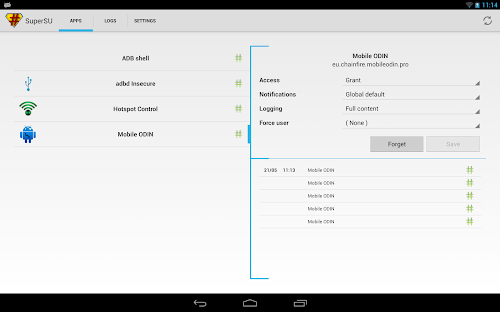
SuperSU allows for advanced management of Superuser access rights for all the apps on your device that need root. SuperSU has been built from the ground up to counter a number of problems with other Superuser access management tools.
Features include:
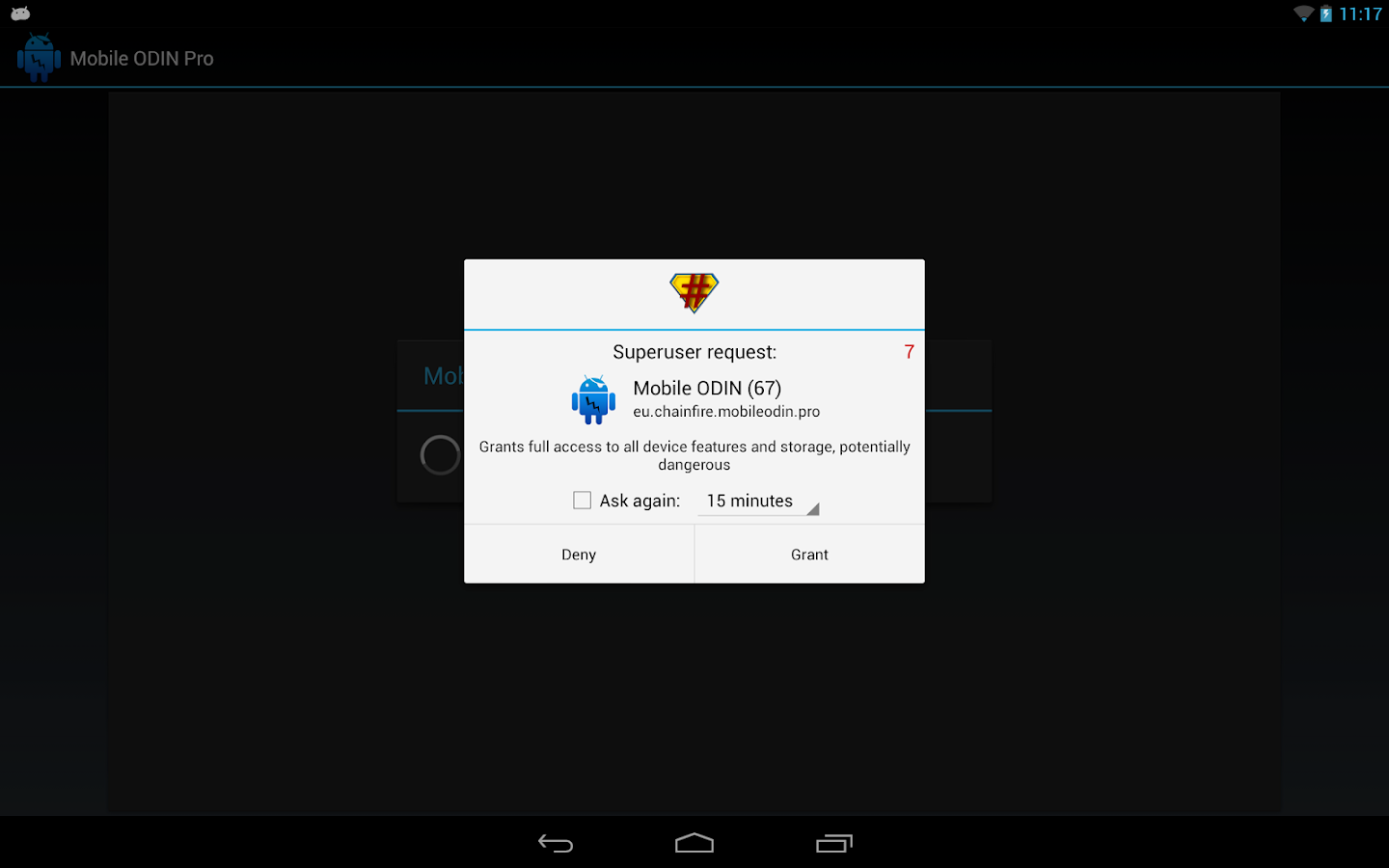
- Superuser access prompt
- Superuser access logging
- Superuser access notifications
- Per-app notification configuration
- Temporary unroot
- Deep process detection (no more unknowns)
- Works in recovery (no more segfaulting)
- Works when Android isn't properly booted
- Works with non-standard shell locations
- Always runs in ghost mode
- Wake on prompt
- Convert to /system app
- Complete unroot
- Backup script to survive CyanogenMod nightlies
- Icon selectable from 5 options + invisible
- Theme selectable from 4 options
- Launch from dialer: *#*#1234#*#* or *#*#7873778#*#* (*#*#SUPERSU#*#*)
NOTE: Not all phones take both codes. On some phones you need to use single *# instead of double *#*#
The Pro version additionally offers:
- OTA survival mode (no guarantees)
- Full color-coded command content logging (input/output/error)
- Per-app logging configuration
- Per-app user override
- Grant/deny root to an app for a set amount of time
- PIN protection
- Per-app PIN protection
- Adjust auto-deny countdown
The discussion and support thread can be found on XDA-Developers here:
http://forum.xda-developers.com/show....php?t=1538053
SUPERUSER
This is meant to replace Superuser (if installed), you use either one or the other. You cannot combine them. Statements that this breaks Superuser are therefore completely nonsensical.
NOTICE: A SPECIAL PROCEDURE IS NEEDED FOR UNINSTALLATION. IF YOU DO NOT LIKE THE APP, DO *NOT* JUST UNINSTALL IT, YOU *WILL* LOSE ROOT.
Superuser access management runs through a so called "su binary". There can be only one of these at a time. So if you install SuperSU, your previous superuser access management solution will no longer operate. So if you want to switch back: (1) Open that application, and search for an option for it to install/update/replace the "su binary". (2) Confirm root-using apps are using the superuser solution you want. (3) Uninstall SuperSU.
TRANSLATIONS
Want to help translate SuperSU ? See http://www.getlocalization.com/supersu/ !
What's New
- Fix UID based grants being forgotten on reboot
- Fix display names of some edge cases (excluding in logs), and prevent these from being forgotten on reboot
- Various theme options added
- Added some basic material theming for L (no backport to 4.x), now default
- Automatic restart app if theme changed
- Automatically restart app if language is changed
- Fixed multilanguage support on L

What's New
- Use material theme on 5.0 when launched from settings
- Fixed crash on 2.x and 3.x devices
- Fixed TWRP installer issue for 4.2
- Updated language files
SuperSU v2.36 Final Apk (+Flash zip)
 
Google Play
Download SuperSU v2.36 Final Apk => link-1 or link-2
Download SuperSU v2.36 Final Flash zip => link-1 or link-2

Friday, November 28, 2014

SuperSU v2.35 Final + Patched Version

SuperSU v2.35 Final and Patched Version
SuperSU v2.35 Final + Patched Version
Requirements: Android 2.1+, Rooted phone
Overview: SuperSU is the Superuser access management tool of the future
!!! SuperSU requires a rooted device !!!
SuperSU allows for advanced management of Superuser access rights for all the apps on your device that need root. SuperSU has been built from the ground up to counter a number of problems with other Superuser access management tools.
Features include:
- Superuser access prompt
- Superuser access logging
- Superuser access notifications
- Per-app notification configuration
- Temporary unroot
- Deep process detection (no more unknowns)
- Works in recovery (no more segfaulting)
- Works when Android isn't properly booted
- Works with non-standard shell locations
- Always runs in ghost mode
- Wake on prompt
- Convert to /system app
- Complete unroot
- Backup script to survive CyanogenMod nightlies
- Icon selectable from 5 options + invisible
- Theme selectable from 4 options
- Launch from dialer: *#*#1234#*#* or *#*#7873778#*#* (*#*#SUPERSU#*#*)
NOTE: Not all phones take both codes. On some phones you need to use single *# instead of double *#*#
The Pro version additionally offers:
- OTA survival mode (no guarantees)
- Full color-coded command content logging (input/output/error)
- Per-app logging configuration
- Per-app user override
- Grant/deny root to an app for a set amount of time
- PIN protection
- Per-app PIN protection
- Adjust auto-deny countdown
The discussion and support thread can be found on XDA-Developers here:
http://forum.xda-developers.com/show....php?t=1538053
SUPERUSER
This is meant to replace Superuser (if installed), you use either one or the other. You cannot combine them. Statements that this breaks Superuser are therefore completely nonsensical.
NOTICE: A SPECIAL PROCEDURE IS NEEDED FOR UNINSTALLATION. IF YOU DO NOT LIKE THE APP, DO *NOT* JUST UNINSTALL IT, YOU *WILL* LOSE ROOT.
Superuser access management runs through a so called "su binary". There can be only one of these at a time. So if you install SuperSU, your previous superuser access management solution will no longer operate. So if you want to switch back: (1) Open that application, and search for an option for it to install/update/replace the "su binary". (2) Confirm root-using apps are using the superuser solution you want. (3) Uninstall SuperSU.
TRANSLATIONS
Want to help translate SuperSU ? See http://www.getlocalization.com/supersu/ !
What's New
- Fix UID based grants being forgotten on reboot
- Fix display names of some edge cases (excluding in logs), and prevent these from being forgotten on reboot
- Various theme options added
- Added some basic material theming for L (no backport to 4.x), now default
- Automatic restart app if theme changed
- Automatically restart app if language is changed
- Fixed multilanguage support on L

What's New
If you get two icons for SuperSU, go into SuperSU's settings and select which one you want, the other one will disappear.
Release notes: https://plus.google.com/113517319477...ts/S5zoKTzKUW1
Full changelog: http://forum.xda-developers.com/show...24&postcount=3
SuperSU v2.35 Final and Patched Version

Google Play
Download SuperSU v2.35 Final Apk => link-1 or link-2
Download SuperSU v2.35 Final Flash zip => link
Patched Version:
Download SuperSU v2.35 Final Apk => link
Download SuperSU v2.35 Final Flash zip => link

Monday, November 24, 2014

Photo Editor by Aviary v3.6.0 Final Unlocked Apk

Photo Editor by Aviary v3.6.0 Final Unlocked Apk
"A one-stop shop for any photo editing need." -Mashable
"A very comprehensive photo editor and pretty much everything you could ever want to do on your phone." -LifeHacker
"A solid, simple camera editing app." -USA Today
******************************************
Aviary is a powerful photo editor which we created because we wanted a quick and easy way to edit our photos on the go with no fuss.
We’ve included all the tools you need, in a super intuitive interface so you can get right to editing.
Features:
+ One-tap auto enhance
+ Gorgeous photo effects and frames
+ Fun stickers
+ Color balance
+ Crop, rotate, and straighten your photo
+ Adjust brightness, contrast, color temperature, and saturation
+ Sharpen and blur
+ Color temperature ("Warmth")
+ Color Splash
+ Focus (Tilt Shift)
+ Draw and add text
+ Create your own memes
+ Cosmetic tools: fix redeye, remove blemishes and whiten teeth
...and we’re adding new tools all the time :) Got a Photo Editor feature request?? It may already be in the works! Check out the list of upcoming features or submit your own idea at http://aviary.uservoice.com
>> Love Photo Editor by Aviary? Help us beta test new releases! You'll get exclusive access to new versions of Aviary before they become available to the public. Join our Google+ community! Learn more at http://blog.aviary.com/posts/2013/9/26/aviary-for-android-beta-test
Bonus:
+ Purchasable effect packs! (We provide 12 effects for free, but if you'd like to add on more you can.)
+ High resolution output
+ Drag and drop to customize the toolset
+ Scroll through your recent photos in a cover photo-like view from the home screen
+ Long press on photos on the homescreen to see options (including deleting the photo from your device)
>> Developers: Want to add this photo editor to your own app? You can choose the tools you need, change the colors of the UI, and more. Download our SDK for free to embed Aviary directly inside your app, or create your own customized plugin - learn more at aviary.com.
If you have any questions, please email android@aviary.com.
------ Permissions:
android.permission.INTERNET (for error reporting)
android.permission.WRITE_EXTERNAL_STORAGE (for saving your edited photos)
android.permission.VIBRATE (for some fun tactile feedback which we bet will make you smile!)
android.permission.NFC (used to share photos via NFC from the main screen)
What's New
With a free Adobe ID, you can now:
-Unlock Aviary’s complete collection of photo editing supplies – a $200 value free for a limited time and yours to keep forever!
-Sync your downloaded supplies (including free packs!) and restore anytime
Also, this version introduces new tools such as Overlays, Vignette, Color and Lighting!
If you enjoy using Aviary, please take a minute to leave us a nice review. It really helps!
Photo Editor by Aviary v3.6.0 Final Unlocked Apk

Tags: Photo Editor by Aviary, Photo Editor by Aviary 3.6.0, Photo Editor by Aviary 3.6.0 Apk, Photo Editor by Aviary 3.6.0 Final Unlocked, Photo Editor by Aviary 3.6.0 Final Unlocked Apk, Photo Editor by Aviary v3.6.0, Photo Editor by Aviary v3.6.0 Apk, Photo Editor by Aviary v3.6.0 Final Unlocked, Photo Editor by Aviary v3.6.0 Final Unlocked Apk

Premium Features are Unlocked!!

Google Play
Download Photo Editor by Aviary v3.6.0 Final Unlocked Apk

Thursday, November 20, 2014

SwiftKey Keyboard + Emoji v5.1.0.57 Final

SwiftKey Keyboard + Emoji v5.1.0.57 Final
SwiftKey Keyboard & Emoji v5.1.0.57
Requirements: Android 2.2+
Overview: SwiftKey Keyboard is a free, award-winning keyboard app for Android that delivers smarter autocorrect, next-word prediction, support for over 800 emoji, emoji prediction and much more!
It upgrades your device's on-screen keyboard, making it faster and easier for you to type. It’s packed full of customization features including over 30 colorful themes, layouts for all screen sizes and devices, and supports over 60 languages.
EMOJI AND EMOJI PREDICTION
Spoil yourself with over 800 emoji characters and clever emoji prediction. Our signature prediction tech suggests emoji to match your words - for fun-filled sentences and smiles all round!
TRUSTED BY MILLIONS
The top-rated, most-loved keyboard on Android, now available for free. As CNN wrote, “the number one third-party keyboard ... SwiftKey is a must-have”.
PERSONALIZED PREDICTIONS
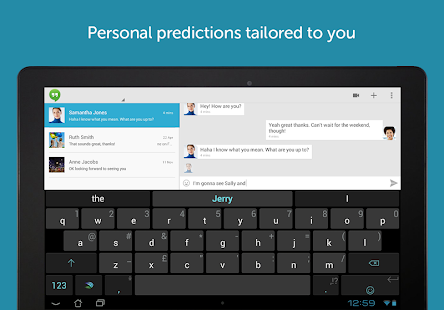
Mind-reading word suggestions that learn from you as you type, and get smarter over time.
SMARTER AUTOCORRECT
Intelligent corrections for even the sloppiest typing.
BEAUTIFUL THEMES
Customize the look of your keyboard with free and premium themes from the SwiftKey Store.
YOUR KEYBOARD, YOUR WAY
Split. Resize. Undock. Tweak your keyboard with a variety of powerful tools to fit your needs.
Multilingual typing. Choose from over 60 languages and type in up to three at once.
CLOUD-CONNECTED
Sync your writing style securely to the cloud and across devices.
Personalize word predictions from your Gmail, Facebook, Twitter, Evernote and more.
Type with ease about daily news, sports and entertainment topics with Trending Phrases.
Gain access to the SwiftKey Store to browse new themes.
EFFORTLESS TYPING
Slide your finger to write with SwiftKey Flow or tap predictions for easy, fast typing.
Full list of supported languages
English (US)
English (UK)
English (AU)
English (CA)
Afrikaans
Albanian
Arabic *
Armenian *
Azerbaijani *
Basque
Belarusian
Bosnian
Bulgarian
Catalan
Croatian
Czech
Danish *
Dutch *
Estonian *
Finnish *
French (CA)
French (FR)
Galician
Georgian *
German *
Greek
Hebrew
Hindi *
Hinglish *
Hungarian *
Icelandic *
Indonesian *
Irish
Italian
Javanese
Kazakh
Korean *
Latvian
Lithuanian
Macedonian
Malay *
Mongolian
Norwegian *
Persian (Farsi) *
Polish
Portuguese (BR)
Portuguese (PT)
Romanian *
Russian
Serbian
Slovak
Slovenian
Spanish (ES)
Spanish (US)
Spanish (LA)
Sundanese
Swedish *
Tagalog
Tatar
Thai !
Turkish *
Ukrainian *
Urdu *
Uzbek
Vietnamese
Welsh
(* = no smart space, ! = no Flow)
Some features are only supported by certain versions of Android. Emoji is supported on Android Jelly Bean and KitKat (4.1 and above). For more information, please see our FAQ.
SwiftKey Keyboard requests access to your SMS messages in order to improve word predictions based on what you've previously typed.

What's New
- Fixed crashes loading languages for some users
- Fixed crashes with the prediction engine technology impacting a small number of users
- Fixed a bug where context could be reversed under certain circumstances.
SwiftKey Keyboard + Emoji v5.1.0.57 Final

This app has no advertisements

Google Play
Download SwiftKey Keyboard + Emoji v5.1.0.57 Final Apk