Showing posts with label Photography. Show all posts

Tuesday, June 9, 2015

HDR FX Photo Editor Pro v1.6.7

HDR FX Photo Editor Pro v1.6.7

HDR Fx Photo Editor gives you the very best & the most vibrant HDR effect on any mobile platform & this is all accomplished from just a single image. Use sliders to get the very same HDR look you had admired on many photographic sites. With right adjustments you can have professional results with HDR Effect. The result will be similar to professional HDR camera photographs. Also you can give dramatic black and white effect to your images with a few touches. HDR Fx Photo Editor also provides sepia option. Other than HDR effects you can apply Curve adjustments to your photos. We give you same tools with famous desktop photo apps’ tools. One of most used tool from desktop app is curve adjustment. With HDR Fx Photo Editor Curve adjustment is now under your fingers. You can do curve adjustments on red green and blue channels you can apply it directly to the rgb channel.

HDR Fx Photo Editor also provide another important photo edit tool called Levels. You can achieve professional results with adjusting black and white tone adjustment or applying gamma adjustment with a single touch. Another great feature from HDR Fx Photo Editor is, frames, HDR Fx Photo Editor comes with tens of different frame options. Crop your full resoution photos, with HDR Fx Photo Editor, you can now crop your images with a single tap. If you don’t want full resolution photos you can choose size of your images and resize them when you are saving photos on sdcard.

Pro version gives you:
Full resolution results.
Red, green & blue channel curve adjustment options.
Also it removes ads.
Added a brand new feature : CROP

Features
17 brand new overlay and bokeh effects
Crop
50 brand new HDR effects
Opacity adjustment on result combination
HDR like results with our special algorithm
HDR Circle control
Composite, curve options(red, green, blue is Pro specific)
Gamma correction
Levels adjustment ( black and white tonal adjustment)
Contrast adjustment
Brightness adjustment
Unsharp filter
Black & white image
Sepia image
Saturation adjustment.
Dramatic black and white results
Put frames & border on your photos.
Put borders & frames on your images
Make your images more dramatic with new textures
Vignette filters
Brand New transform tools.
Rotate image left and right.
Flip image horizontal or vertical.
Straighten image with Straighten tool..
Flip horizontal and vertical.
Millions of different adjustment combinations.
Export the Photos to Twitter
Export the Photos to Facebook
Change storage location from Settings Screen to any directory you want.
Share the Images on Instagram
Resize the images before save.

What's New
small ui changes.

HDR FX Photo Editor Pro v1.6.5HDR FX Photo Editor Pro v1.6.5

HDR FX Photo Editor Pro v1.6.5

HDR FX Photo Editor Pro v1.6.5HDR FX Photo Editor Pro v1.6.5

Require 2.3 and Up & File Size 19mb

GOOGLE PLAY
Download HDR FX Photo Editor Pro v1.6.7 APK

Color Effect Photo Editor Pro v1.6.6

Color Effect Photo Editor Pro v1.6.5

★★★ The easiest way to convert your photos into art. ★★★
Dye your walls to another color or paint your skin with green or any color you want also this app lets you to make color splash effect with giving you chance to recolor any area of image.

★ Share your edited images on Facebook, Instagram and Twitter.
★ An alternative view mode highlights the regions that will remain in color with a red tint. This makes it easier to see and adjust the boundaries between color and black & white regions.
★ 37 unique effects.
★ Choose from 4 different brushes (hard or soft edged, opaque or transparent)
★ Work in landscape or portrait orientation.
★ Hide the toolbars in full screen mode.
★ Optimized for tablets.
★ Pinch zoom.
★ Scalable brush size.
★ Change colors of your photos.
★ Special design for tablets.
★ Contrast adjustment.
★ Warmth adjustment.
★ Brightness adjustment.
★ Tens of fancy borders and frames.
★ Put vignette filters on your images.

★★★What is more than others.★★★
★ Provides highest resolution results.
★ Provides landscape and portrait mode.
★ Two different user interface designs, one for phones and one for tablets.
★ Tablet design provide more space for photos.
★ Special design for tablets especially for new Nexus 7
★ Most realistic color replace operation unlike other apps.
★ Contrast adjustment.
★ Warmth adjustment.
★ Brightness adjustment.
★ Tint adjustment.
★ Saturation adjustment.
★ 37 unique effects.
★ Add text and caption to photos.
★ 28 new fonts.
★ Auto color.
★ Auto contrast.
★ Realistic color replacement.

Color Effect Photo Editor allows you to take any image and manipulate the colors to allow you to easily visualize what a room, landscape, or object would look like as a different color. You can change your hair color or your car's color even your eyes color. You can remove red eyes with this app and post your picture to facebook with a single click and make your profile pictures much more interesting. Also this app can be used as color effects, such as color splash. Finally, this applications does same thing as desktop photo editors with the hue/saturation setting's colorize option. Paint your photos or gray out with your fingers. Add new effects borders or overlays with one tap. The ultimate combination of painting with effects.

Color Effect Photo Editor lets you quickly and easily give photos a dramatic look by converting them to black and white, while keeping your chosen details in color. This effect draws the viewers' attention to the colored areas, creating striking images.

Most selective coloring apps give you 2 painting choices: Gray or original color. Color Effect Photo Editor gives you this PLUS the ability to paint nearly ANY color!

The intuitive and responsive multi-touch user interface makes Color Effect Photo Editor amazingly easy and fun to use. Use your finger as a brush to "paint" sections of your image black and white, or to bring back the original color. Zooming in and out using the two-finger pinching gesture allows you to work on details with pixel-accuracy.

What's New
Bug fix.

Color Effect Photo Editor Pro v1.6.5Color Effect Photo Editor Pro v1.6.5

Color Effect Photo Editor Pro v1.6.5

Color Effect Photo Editor Pro v1.6.5Color Effect Photo Editor Pro v1.6.5

Require 2.3 and Up & File Size 14mb

GOOGLE PLAY
Download Color Effect Photo Editor Pro v1.6.6 APK

Cameringo+ Effects Camera v2.4.4

Cameringo+ Effects Camera v2.4.3

A camera to give you back the pleasure of shooting beautiful photos.
With a simple yet stylishly powerful interface, this photographic camera app includes a large variety of live photo filters in lightning-fast real-time, such as several Lomo and Lo-Fi effects, artistic painting, cartoon and paper styles, vintage, retro, analog, several deformations types, including even fish-eye, wide angle camera filters, and many more. In total over 180 customizable camera photo effects, and over 20 frames.

Produce the most beautiful images with the FAUX HDR tone mapping filters.
Also you can create little planets with the Stereographic filters adjusting the intensity level, or just use the preset ones. All filters are customizable.

Lomography, Analogic and Hipster photography lovers will be pleased with the emulated effects of some classic cameras such as Holga, Zenit, Lomo LC-A, and even an awesome Super-8 style.
With the easiest Panorama mode you can find. The Panorama mode manual nature gives you full control over the final result. Try using different filters, people or objects in each shot to create unique panoramic images. Your imagination is the only limit.

Record easily GIF animations with all the available effects..You can also change the GIF recording speed to produce funny GIF animations.

With the unique Cameringo viewfinder, now you can keep shooting while in photo review mode, allowing comparison of the last photo taken against the live image. Plus, the horizon level indicator gives you now better control over the angle of the photo.

Get now mad-face shots with the unique Virtual Flash for Front-Facing Cameras. The idea is very simple, in complete darkness the screen will light up enough to give you the chance to snap your grin. Not all effects are suitable for this, so try it first with "original".

Other included features are a clever image stabilizer, silent camera mode, histogram, Incognito mode, Geo Tagging (GPS Location), guidelines, tap to shoot, macro-focus, and even the option to shoot perfectly squared photos making it easier to upload into Instagram.
A new effects photo-camera app for everyone's taste at your fingertips.

What's New
-New option to save automatically or edit the Artist and Copyright into the EXIF tag.
-New redesigned Timer.
-New option to set the JPEG quality.
-Optimized the Little Planet filter.
-Many fixes and optimizations.
-One new filter: Film 4 (PRO)

Cameringo+ Effects Camera v2.4.3Cameringo+ Effects Camera v2.4.3

Cameringo+ Effects Camera v2.4.3Cameringo+ Effects Camera v2.4.3

Cameringo+ Effects Camera v2.4.3

Cameringo+ Effects Camera v2.4.3

Require 2.2 and Up & File Size 5mb

GOOGLE PLAY
Download Cameringo+ Effects Camera v2.4.4 APK

Adobe Photoshop Mix v1.0.407 beta

Adobe Photoshop Express apkmania
Adobe Photoshop Mix v1.0.407 beta
Requirements: 4.0+
Overview: Photoshop Mix makes transforming and enhancing your images on the go quick and easy.
Adobe Photoshop Mix v1.0.407 betaAdobe Photoshop Mix v1.0.407 betaAdobe Photoshop Mix v1.0.407 beta
Cut out and combine pictures, change colors and enhance your photos anytime, anywhere. Share your creations with friends and send them to Photoshop CC on your desktop for advanced creative editing.
• Cut out and remove sections of your images or merge multiple photos.
• Adjust colors and contrast or apply preset Looks (filters) to your pictures. Enhance the entire image, or just a portion with the touch of your finger.
• Non-destructive editing means your original pics stay pristine and untouched.
• Quickly and easily share your creations on social media.
GET CONNECTED TO CREATIVE CLOUD
With Creative Cloud, you can open and edit Photoshop files in Mix and send compositions to Photoshop CC for further refinement—layers, masks and all. Or open and mix Lightroom images and send directly to your Lightroom Collections. Creative Cloud also lets you use Photoshop CC features in Mix. And all your edits are synced across all your computers and devices. Make a change on your phone, it’ll show up on your desktop. Take your photography further with the Creative Cloud Photography plan.
INTERNET CONNECTION & ADOBE ID REQUIRED
Sign up for an Adobe ID within Photoshop Mix for free. Adobe online services, including the Adobe Creative Cloud service, are available only to users 13 and older and require registration and agreement to additional terms and Adobe's online privacy policy a thttp://www.adobe.com/special/misc/privacy.html. Adobe online services are not available in all countries or languages, may require user registration, and may be subject to change or discontinuation without notice.
WHAT'S NEW
Bug Fixes. New Settings, SSO Integration, UI Changes, Nexus 4 Cutout Issue.

This app has no advertisements

Google Play
Download Adobe Photoshop Mix v1.0.407 beta Apk or Apk

Saturday, June 6, 2015

Candy Camera for Selfie v1.71

Candy Camera for Selfie apkmania
Candy Camera for Selfie v1.71 (Ad Free)
Requirements: 2.3+
Overview: Take a picture more easily, more conveniently, and more beautifully!
Candy Camera for Selfie v1.71Candy Camera for Selfie v1.71
Description
★ Play hot issue app selection of Google to release the first time in one day
★ United Kingdom, France, Spain, Germany
Austria, Russia, Japan, Korea, Hong Kong, Taiwan
Recommended app store Google
★ 20,000,000 downloads in eight months and counting
★ 2.4 million Day of active users
★ 10 million daily uses a day
★ It's growing very fast and reached #1 camera app in more than 50 countries
✔ Real time filter that doesn’t need a post-correction
100+ emotional and unique filters
 Beautiful skin filter specifically for selfies

✔ Easy and convenient editing
Adjustable brightness, contrast, saturation, resolution
Cut & rotate
Mosaic
Lomo effect
Out focusing
✔ Beauty function that’s one touch away
Whitening effect
Blemish removal
Make up – Eyelines, eyelashes, blusher functions
Sliming effect – Pixel’s live, natural slim effect

- Decorating pictures of my own story
✔Add sensibility to your photos with light effects!
About 100 kinds of different frames to make your photo trendy!
My own unique photo with variety of design concept stickers!
✔ LG Quick Circle Supported
WHAT'S NEW
Added new stickers

Google Play
Download Candy Camera for Selfie v1.71 Apk or Apk

Photo Editor FULL v1.6.2.1

Photo Editor apkmania
Photo Editor FULL v1.6.2.1
Requirements: 2.3+
Overview: Adjust color, add effects, rotate, crop, resize, frame, clone, and draw on your photos.
Photo Editor FULL v1.6.2.1Photo Editor FULL v1.6.2.1
Color adjustment options include hue, saturation, contrast, and brightness. Additionally, Photo Editor offers a large variety of effects for your photos including gamma correction, auto contrast, auto tone, blur, sharpen, oil paint, sketch, black & white high contrast, sepia, and more.
The easy touch and pinch-to-zoom interface makes it simple to play with your photos and get the exact look you desire. Edit photos from your gallery and camera.
Save your final result to your gallery, as wallpaper, or on your SD card. Share your photos using any of the services on your device such as e-mail, Picasa, Facebook, Twitter, or whatever sharing method you prefer.
Features
* Adjust color, add effects, rotate, crop, resize, frame, clone, and draw on your photos
* Curves interface that allows fine-tuning of colors
* Drawing mode, adding text or images
* Easy rotation, crop or resize of photos
* Perspective, red-eye, and backlight corrections
* Easily edit with the touch and pinch-to-zoom interface
* Use photos from your gallery and camera
* Save images in JPEG, PNG, GIF and PDF. Flexible control of JPEG quality.
* View, edit, or delete EXIF data
* Save your final result to your gallery, as wallpaper, or on your SD card
* Share photos via e-mail, Picasa, Facebook, Twitter, etc.
* Ad-free option is available (Settings -> Purchase Items)
*** PHOTO EDITOR IS NOT SPYWARE/VIRUS!!!
Photo Editor does not contain virus or malicious code. If your antivirus program identifies Photo Editor as virus/malware, please email me.
*** Supported Languages: English, Korean, Russian, Spanish, Dutch, Finnish, German, French, Japanese, Portuguese(Brazil), Italian, Catalan, Traditional Chinese, Hebrew, Simplified Chinese, Czech, Romanian, Polish, Hungarian, Swedish, Greek, Arabic, Turkish, Bengali, Indonesian, Persian, Vietnamese, Malay
If you would like to participate in the translation, please contact me.
*** User contributed tutorials.
1. Tutorial video by Nitzan Gertz.
WHAT'S NEW
v1.6.2.1:
• Bug fixes
v1.6.2:
• Crop improvements
• Tools: Video Capture (ICS+)
• External SD support (Lollipop): Save(Overwrite), Batch(Output)
• New language support: Azerbaijani
• Bug fixes
 
Google Play
Download Photo Editor FULL v1.6.2.1 Apk or Apk

Friday, June 5, 2015

F-Stop Media Gallery PRO v4.0.3

F-Stop Media Gallery apkmania
F-Stop Media Gallery PRO v4.0.3
Requirements: 2.2 and up
Overview: F-Stop Media Gallery is a powerful photo and video organizer for Android that will easily replace your stock gallery app.
F-Stop Media Gallery PRO v4.0.3
Description
F-Stop Media Gallery is a powerful photo and video organizer for Android that will easily replace your stock gallery app. F-Stop is quickly approaching 1 million downloads with a greater than 4 star rating and Lifehacker even chose F-Stop as one of its favorite gallery replacement apps.
---------------------------------------------
Here is what others are saying:
"[F-Stop Media Gallery is] probably my overall favorite app of 2013." - Editor at Android Central
"A fierce competitor in the image gallery space..." — Appstorm.net
“We Recommend: F-Stop – An Enhanced Media Gallery” — Androidpipe.com
---------------------------------------------
Never again wonder where your photos or videos are located as you search endlessly for that picture you know you took the other day. Let F-Stop manage all your media with powerful features like tags, ratings, albums, and favorites.
Use the smart album feature to automatically create albums based on criteria you choose. For example, you can create an album that automatically shows all your GIFs or only displays media you tag with “Family”. Maybe you are a professional photographer (many professionals use F-Stop) and want to show a client some pictures you took for them. Set up a smart album to show all media with the client’s name as a tag. Add a condition to only show 4 and 5 star rated images so they only see your best. The client can then easily press the heart icon to favorite the images they like. With the PRO version, you can then save these tags and ratings to the file and view them in just about any photo organizer such as Google Picasa, Adobe Lightroom, Apple Aperture, Adobe Elements, etc. The possibilities are endless.
MAIN FEATURES
* View your photos in the highest HD quality
* Lightning fast browsing experience
* Organize and view using folders, nested folders (PRO), standard albums, smart albums, nested albums (PRO), tags, ratings, favorites, and videos
* Immersive mode for users with Kit Kat.
* Make F-Stop look the way YOU want with a total of 9 themes including light and dark
* Save tags and ratings directly into JPG images and/or write sidecar files (PRO)
* Read metadata directly from your images (EXIF, XMP, IPTC)
* Quick links let you put your favorite folders, tags, albums or ratings directly on the navigation drawer
* Easily exclude folders to get rid of album art showing up in your gallery
* Hide media from other apps with password protection
* Slideshow mode with several transition types
* Support for file types [1]: JPG, JPEG, PNG, GIF, BMP, WEBP, WEBM, MP4, 3GP, AVI, MKV, MTS, WMV, FLV, MPG, MPEG, TS, MOV, M4V and M2TS
* Optimized interface for tablets.
Please visit our website for a quick tutorial or to view our FAQ: http://fstopapp.com/
E-mail us at support@fstopapp.com if you have any reason not to rate us 5 stars.
[1] F-Stop will scan for these file types but viewing is dependent on device support.
Keywords: Digital Asset Management (DAM), Photo Viewer, Photo Organizer, Organize Photos, Image Viewer, Picture tag, photo tag search, search image tagging
What's New
v4.0.3
Added ability to select multiple folders, albums and tags
Faster copy/delete operation on Lollipop devices with external sdcard
Added create new folder from copy/move action
When copying, last folder is remembered
Fixed issue of 0 byte file left after delete
Fixed issue of newest folder not showing up at the top of the list after editing
Will now return to "places" view after viewing thumbnails from "places"
See the full list here:
_http://www.fstopapp.com/changelog/

This app has no advertisements

Pro features unlocked

Google Play
Download F-Stop Media Gallery PRO v4.0.3 Apk or Apk

Wednesday, June 3, 2015

Gif Me! Camera Pro v1.36

Gif Me! Camera Pro v1.36

Gif Me! is the best way to create and share short video in animated GIF.
It's easy: capture a small moment with your built in camera, and share it on social networks. You can apply an image filter too.

★★ Features ★★
* Capture 14s
* Real time color filters
* Send by email
* Share on Twitter, Facebook, Tumblr
* You can remove watermark in settings
* Stop motion or video mode

What's New
★ Tap to capture (setting)
★ Start on capture view (setting)
★ UI tweaks
★ Export mode
★ Gif frames import
★ Multiline support for text
★ On some devices, you can now capture 200 frames
★ You can play gif from album
★ Bugs fixed

Gif Me! Camera Pro v1.24Gif Me! Camera Pro v1.24

Require 2.2 and Up & File Size 6mb

GOOGLE PLAY
Download Gif Me! Camera Pro v1.36 APK

Resize Me! Pro Apk v1.56

Resize Me! Pro apkmania Resize Me! Pro v1.56
Requirements: 2.2 and up
Overview: Resize your photos easily with 'Resize Me!' before sending them by Email or sharing them on Twitter, Facebook,

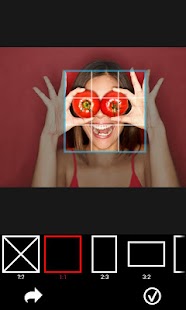
You can do that with just one click, or use the interface to rotate, crop and resize.
You can try 'Resize Me!' Lite version before to buy the full version.
FOR SUPPORT AND HELP, please contact me at contact@xnview.com .
---- Usage -----
* Launch 'Resize Me!'
Open a photo or take from camera
Rotate, crop, resize
share or save
* Launch from your viewer (e.g. Gallery)
Select or Open an image
Tap on "share" or "send it" and choose 'Resize Me!'
Choose image size
Select the application that you want to use to open the result
* Launch from mail apps
Tap on attach button
Choose 'Resize Me!'
Choose your viewer (e.g. Gallery)
Select an image (or a list of image)
Choose image size
--- Features ---
* Custom size
* Easy to use
* Keep EXIF tags
* Keep GPS data
* Rotate and crop
* Set as Wallpaper
* Share or save the result
--- Only available in full version
* Resize multiple images
* Text watermark
What's New
★ New image picker
★ Bugs fixed
You like ResizeMe? Please give us 5 stars! Your feedback is very important to our work.
Help us to improve it by sending your bugs or requests on contact@xnview.com

This app has no advertisements

Google Play
Download Resize Me! Pro v1.56 Apk or Apk

Sunday, May 3, 2015

Over Apk v1.3.0

Over v1.3.0
*** Best Apps of 2014 — Google Play ***
"This is a fantastic idea!" —Jason Fried of Basecamp
"We’re obsessed." —Brit+Co
"Instagram suddenly got a lot more interesting." —Uncrate
Over is the app for adding text and artwork to your photos. Designed with mobile creatives in mind, Over features standard and custom-made fonts and well-crafted artwork combined with a sleek design, easy-to-use functionality, and immediate sharing ability.
Features Include:
EXCLUSIVE FONTS & ARTWORK: Over features unique, beautiful fonts and original, eye-catching artwork from a variety of artists for you to add to your pictures.
MAKE SOMETHING AWESOME: In Over, you’ll be able to discover artwork perfect for outdoor adventures, add handcrafted icons for any occasion, design with geometric font awesomeness, say “Happy Birthday” in style, present challenging and inspirational words, and much more.
EDITING: In Over you can nudge, size, rotate, fade, copy, and center your artwork and text, crop your photos, and stretch your text. Pick from among plenty of color choices to make the text or artwork pop, or blend in.
SHARING: When you’re finished with your picture you can share it directly via email, text message, Twitter, Facebook, Instagram and more.
SUPERB CUSTOMER SERVICE: If you run into an issue with Over, simply shoot us a message from within the app. We’ll work with you to resolve quickly any problems that you have.
STORE: Our in-app store showcases several exclusive art and font packs for purchase.
FUN: Over is fun. It allows you to express your creativity on the go.
COMMUNITY: You can check out our community of mobile creatives at the @Over Instagram account and, we hope, be inspired by what others are making with the app. Search Instagram for #bestofOver and #madewithOver too.
How People Are Using Over:
—"With Over, I'm thinking more like a publisher, with my photos telling stories instead of just being 'something to upload.' It's a great way to improve photos." —Chris Brogan, President of Human Business Works
—"Over is fantastic because it lets me add a bit of personality behind my photographs." —Emily Schuman of Cupcakes and Cashmere
—Wish someone a "happy birthday" on Facebook.
—Create things you used to need Photoshop to make.
—Make your children "talk". :)
—Design professional-looking images for your Facebook page.
—Build slides for your next presentation.
—Enhance your creativity.
—Post your product details to Pinterest.
—Make your Instagram posts pop.
—Print the images for your scrapbook.
—Encourage your friends with motivational quotes.
What's New
We're excited to get this update into your hands!
–Celebrate the moms in your life with 22 beautiful illustrations: 'Moms Are Magical', 'Happy Mother's Day', and more from the super talented Kelsey Cronkhite.
–Enjoy seven incredible new fonts for FREE: Cookies & Cream, Lulo One, Olivier, Dynamoe, Awesombrosa Rounded, So Brush, and Millie Bold.
–Use the new TINT feature for editing your photos.
–Bug fixes and enhancements galore. :)
Thanks for your continued support!
Warm Regards,
@Over


GOOGLE PLAY
Download Over v1.3.0 Apk

Perfectly Clear Apk v4.0.8

Perfectly Clear v4.0.8
Perfectly Clear is not your ordinary photo app, filters library, or editing suite. It's Award Winning, Intelligent Image Correction that improves your images with a single tap. All 18 corrections happen automatically so you get professional-looking photos without tedious and complex editing. And it includes powerful presets like Beautify which makes it easy to look your best every time.
Perfectly Clear counteracts your camera's limitations by applying 18 automatic corrections to your photos.
Perfectly Clear captures life unfiltered without masking or saturating anything. Our corrections are designed to highlight the beauty that was always there so every photo looks as vibrant as life itself.
****
We're super excited about our latest version 4.0. We've taken your suggestions (thank you!) and are pleased to introduce a clean new look with even more powerful time saving enhancements that you're going to love:
Next Generation Beautify makes it easy to look your best
Our Beautify technology automatically detects gender, age, and facial features to apply just the right amount of correction. We've made the existing Skin Smoothing, Teeth Whitening, Eye Enhancement & Enlargement even better. Plus, we've added 6 amazing new automatic corrections:
* Face Slimming
* Eye Circle, Shine, Blemish and Red-Eye Removal
* Catchlights
Powerful Photo Browser lets you crop, delete, rotate and more!
Quickly flip through your images in a gallery so you no longer need to go to another App to view.
Significantly faster!
Correct your photos at up to twice the speed.
Quick Correct
Correct with one tap directly from the new photo browser.
Can you fit all the power of a DSLR in your pocket?
With Perfectly Clear v4.0 you can. Our advanced camera includes face, blink & smile detection that automatically captures the perfect portrait or selfie, powerful Panorama, amazing HDR, and more.
Plus we've leveraged the latest innovations of Android's Lollipop, giving you full-resolution high speed burst, full-resolution panorama (Nexus 6 & 9), HDR shots of fast-moving subjects, full White Balance control, and more.
****
Automatic Image correction: down to a science
What's behind our award-winning technology? 14 years of R&D, 10 patented processes, and 18 unique algorithms. We cracked the code on correcting every pixel independently. It's as if your 21 MP photo was taken with 21 million separate apertures.
Perfection that's tested over 30 million times a day
Major retailers, veteran pros and avid amateurs all depend on our technology to create amazing photos automatically and effortlessly.
What's New
v 4.0.8
Several small updates.
Read more: http://goo.gl/Oq36GV
Perfectly Clear v4.0.8Perfectly Clear v4.0.8
Perfectly Clear v4.0.8
Perfectly Clear v4.0.8Perfectly Clear v4.0.8
 
Require 2.3.3 and Up & File Size 24mb
 
GOOGLE PLAY
Download Perfectly Clear v4.0.8 Apk