Showing posts with label Widget. Show all posts

Tuesday, June 9, 2015

onca Clock Widget Pro v1.1.0 Patched Apk

onca Clock Widget apkmania
onca Clock Widget Pro v1.1.0 Patched
Requirements: 4.1 and up
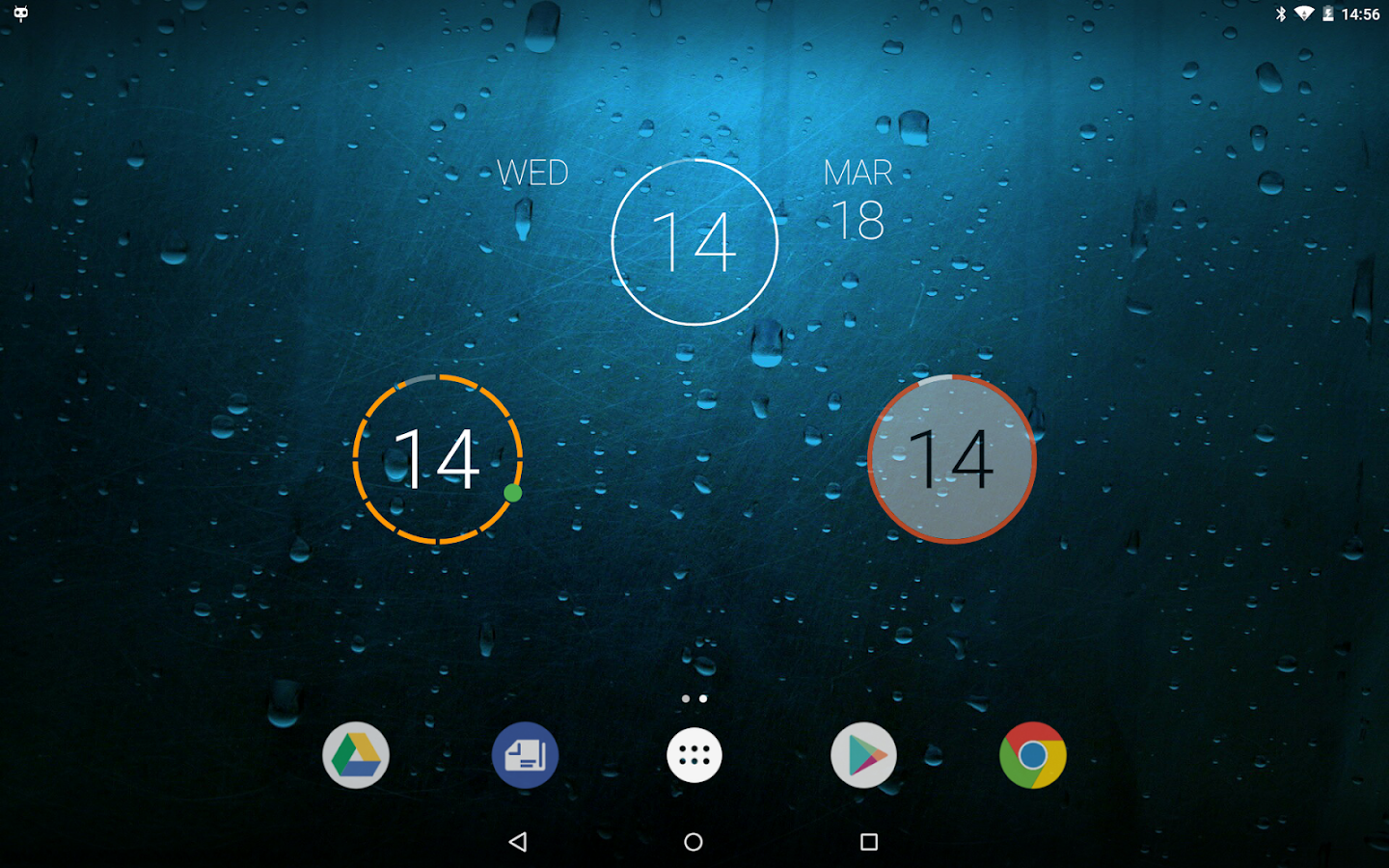
Overview: Minimalist clock widget that combines digital clock and analog clock. Inspired by Minimal Design and Flat Design the widget brings a clean, modern style to your home screen. The comprehensive configuration menu offers numerous options to adjust the widget to your personal preference.
onca Clock Widget Pro v1.1.0 Patched Apk
[break]
Minimalist clock widget that combines digital clock and analog clock. Inspired by Minimal Design and Flat Design the widget brings a clean, modern style to your home screen. The comprehensive configuration menu offers numerous options to adjust the widget to your personal preference.
If you have a request or an issue please contact me via Email or http://onca-development.de
FREE Edition
• Font size selectable
• Tranparency adjustable
• Color selection for all elements of the widget
• Hours as digits
• Minutes as ring
• Seconds (optional) as point or ring (!Can impact device's performance!)
• Date (optional) with selectable alignment
• Background ring (optional) with transparency setting
• Starting arbitrary apps by tapping on clock or date
• Configuration can be altered anytime by tapping on the lower area of the widget
• Format of time and date adapt to system settings
PRO Edition (via in-app purchase)
• Hours as digits, ring or point
• Minutes as digits, ring or point
• Individual colors
• Font size selectable
• Time zone selectable
• Minute marks (optional)
• Background circle (optional) with transparency setting
You can try PRO Edition settings in the preview of the configuration menu.

This app has no advertisements

Google Play
Download onca Clock Widget Pro v1.1.0 Patched Apk or Apk

Monday, November 24, 2014

Completely Silent plus Widget Donate v4.5.1 Patched Apk

Completely Silent plus Widget Donate v4.5.1 Patched Apk
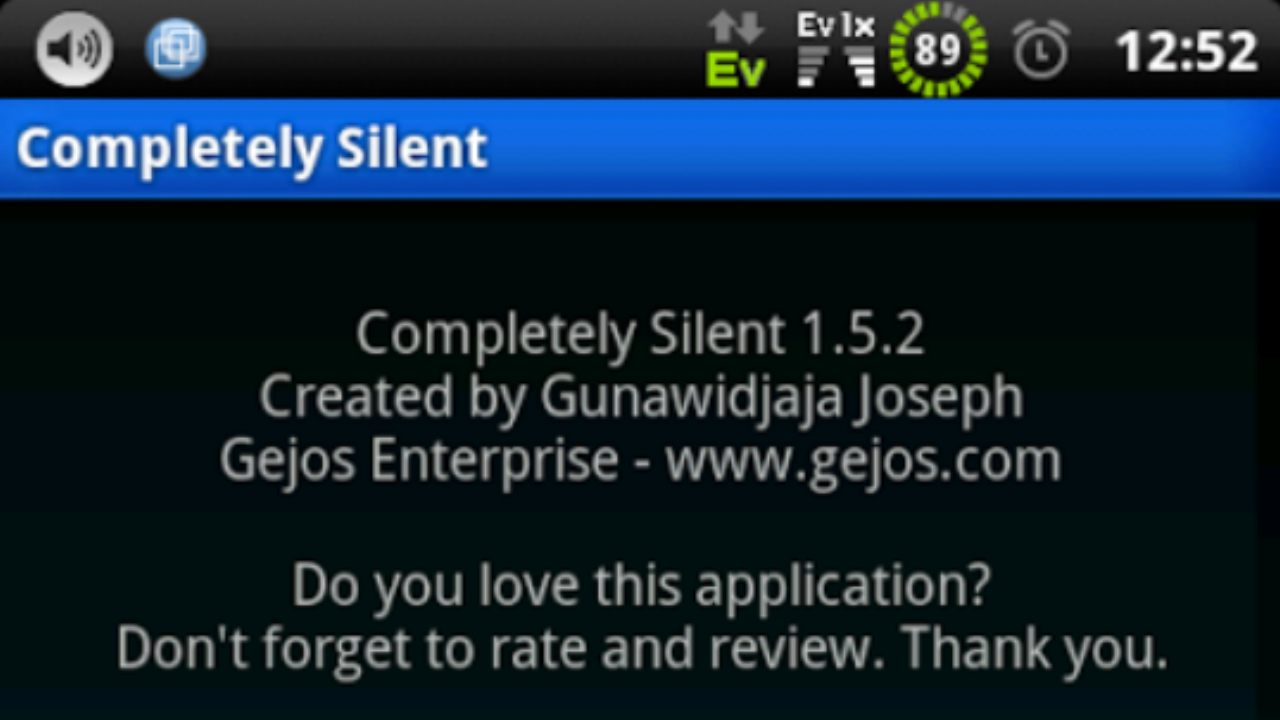
Completely Silent made for individual like me who need completely turn off all the sounds including media sound and alarm sound (also camera shutter sound. please note, the camera shutter may not work on some devices).
Usually in Android System, the silent mode will silence all sounds except for media and alarm.
Use widget to change mode or touch the ongoing notification to select and change mode.
This application widgets will never refresh by interval (except will only refresh when you touch it for changing the mode), meaning will not drain the battery.
DISCLAIMER: It is made available for use at your own risk with no warranty of any kind. The default of this application is not active and by activate this application, means that you have agreed with the contents of the disclaimer.
Please note:
If you need to uninstall this application, please make sure you change to "Default System Mode" first before uninstalling so the application will restore all the volume to default system. If not, all the volume will stay in 0 and you'll need to set it all one by one.
Speaker Phone Mode is a BETA TEST, and may not work.
This widget I hope will make the FM Radio will work through the speaker phone with headset plug (need as an antenna).
In some ROM, the camera shutter may protected to turn off. The reason they DON'T allow this is because it is illegal in some countries. Turn it off by this application is all your responsibility.
If you love this application, please consider the donate version. Please search: Gejos Enterprise to find the donate version. Your donation will help to support my work. Thank you very much.
This application is FREE and will always be FREE (works fine without donate version installed).
CacheDownload2SD 100% ads free. Please rate and review wisely, and please read this description first before rate and review. Thank you.
Use back button to save and execute new setting (not the home button).
All my apps have "unique" method to unload and reload service. It will automatic kill itself to save RAM and will reactive the service when need it. Don't worry, this app still active even you cannot find it in the system as running.
What's New
- Added latest Android 5.0 Lollipop Rev.2
- Minor bugs fixed on some devices.
- Adding "smart lock" in Silent Mode.
- Adding new Revert Back to Default System Mode Countdown Timer (Davis Barron ideas)
- Fixing ART issues on some devices
Completely Silent plus Widget Donate v4.5.1 Patched Apk

Requires Android: 2.2 and up & File Size 172 KB
 
Google Play
Download Completely Silent plus Widget Donate v4.5.1 Patched Apk or Apk

Thursday, November 20, 2014

GPS Widget Pro v1.4.0

GPS Widget Pro v1.4.0
Requirements: 2.1+
Overview: This widget simply shows your current location in numbers. Latitude and Longitude are received from the GPS location provider or from the network location provider if GPS is not available.
The altitude is queried from open MapQuest API which yields in a more accurate result than receiving the altitude by GPS. So this widget is also interesting for hiking (altimeter).
Features:
o Display your current location in numbers
o Additional information (Street, City, Postal Code, GPS satellite fix)
o Shows your altitude with high accuracy
o Share your location with friends via SMS, Email, etc.
o Different location formats are supported (Decimal Degrees, Universal Transverse Mercator (UTM), ...)
Note 1: To save battery power you should switch off the widget when you do not need it. You can force the widget to switch off automatically after some time in the settings.
Note 2: This is no GPS toggle widget. You can not turn on and off GPS. You simply get clear information about your current location.
To add widget press: Home->Menu->Add->Widgets->GPS Widget Pro
The widget needs the following permissions because:
o Your location: it's obvious
o Network communication: query altitude
What's in this version : (Updated : Nov 18, 2014)
GPS altitude if network is not available
new design
widget colors can now be customized
GPS Widget Pro v1.4.0
 
Requires Android: 2.1 and up & File Size 2.7 MB
 
Google Play
Download GPS Widget Pro v1.4.0 Apk or Apk or Apk

Tuesday, November 18, 2014

Android Pro Widgets FULL v1.4.2 PROPER

Android Pro Widgets FULL v1.4.2 PROPER
Requirements: 2.1 and up
Overview: A set of powerful and extremely useful home screen widgets!
Description
A set of powerful and extremely useful home screen widgets!
✓ Designed for both smart phones and tablets
✓ Widgets for Agenda & Calendar, Contacts, Bookmarks, Messaging, Facebook, Twitter.
✓ Scrollable widgets (please read notes 2-3)
✓ For any issue please email us to dr.appche@gmail.com
■ Reviews:
“Do you want a set of customizable, skinnable and accessible widgets to your needs on the homescreen? Then look no further…” - Android UK News
“If you love periodically changing the look of your phone and the interface options, Android Pro Widgets is the number one program on the android market” - http://androidwidget.info
“APW is one of the most comprehensive and complete widget suites available” - Android Community
“The graphics are so polished that it feels as if Android Pro Widgets was included with the device” - HTC Source
“It’s my belief that the widgets included in Android Pro Widgets should have already been built into Android” - AndroidStatic
“Now This is What an Ice Cream Sandwich Widget Should Look Like” - AndroidSpin (refers to Modern ICS themes)
■ Available widgets:
☆ Agenda & Calendar
☆ People
☆ Bookmarks
☆ Messaging
☆ Facebook
☆ Twitter
☆ Timeline (Facebook + Twitter) [License required]
■ More tools:
☆ Quick Event - Quick Calendar event insertion tool w/ native language processing and speech recognition capabilities!
☆ Say What - little 4x1 widget to update Facebook/Twitter quickly from the home screen.
■ Please
☆ Need help? Email us to dr.appche@gmail.com
☆ Read the notes before you comment.
☆ Use http://apw.uservoice.com for any feature request.
☆ Read known issues and suggested fixes at http://androidprowidgets.blogspot.co...wn-issues.html
■ Buy the license key to support the development and unlock all features including access to many themes.
Link: http://spam.com/T4PRA
■ Theme Makers:
Follow the Create Themes page on our blog http://androidprowidgets.blogspot.com/p/create-themes.html
■ Notes:
[1] This is a widgets package. The main app is mainly intended for explaining how to actually add widgets to your home screen.
[2] A scroll button is used on Android 2.x with launchers that don't support scrollable widgets. If your launcher does not support scrolling either use the scroll button or replace your launcher. Honeycomb, ICS, JB, ADW Launcher, Launcher Pro, Go Launcher Ex and many other launchers support scrollable widgets.
[3] Calendar widget is not scrollable in its grid mode.
[4] In Quick Event entering the edit window will ignore the reminder setting and the selected calendar, and use the default calendar application settings instead.
[5] Bookmarks widget supports the following browsers: Stock, Chrome, MIUI, Skyfire. Please understand that most browsers simply can't be supported.
[6] Facebook/Twitter pictures are cached to SD card. Clear cache in preferences if the pictures are outdated.
[7] On Android 4.x the Facebook for Android application does not normally allow non system applications to access contact images. Use the free Facebook contact Sync application http://spam.com/Jw8W7
[8] Reasons for every permission are available here http://androidprowidgets.blogspot.com/p/android-permissions.html
** apw, widget, widgets package, widgets pack, scrollable, scrolling, calendar, agenda widget, quickadd, people widget, contacts widget, bookmarks widget, messaging widget, sms widget, facebook widget, twitter widget, honeycomb, ics, ice cream sandwitch **
What's New
1.4.2
Preliminary version compatible with Android Lollipop
Some themes aren't working properly on lollipop - We are on it! a fix is on its way
1.4.1
Fixed TouchDown calendar
1.4.0
* APW Theme Modern ICS is now available to all users. Get it in Theme preferences.
* Added optional Google Analytics anonymous statistics to help us improve the application (Disabled by default, setting to enable/disable in More Options on widget preferences).
* Fixed Facebook crash on some devices
Android Pro Widgets FULL v1.4.2 PROPER

Note: all premium features available. no key file needed.

This app has no advertisements

Google Play
Download Android Pro Widgets FULL v1.4.2 PROPER Apk or Apk

Monday, April 7, 2014

Battery Monitor Widget Pro 3.0.11

type='html'>


Current Version: 3.0.11
Requires Android: 2.1 and up
Category: Tools
v3.0.11 update:
2.x users please read migration guide: http://www.3c71.com/bmw_mig
We have listened to all feedback received and adjusted the app accordingly.
Monitoring interval default to 10 minutes on Android KitKat
New notification shortcut
Minor bug fixes
? Requires INTERNET permission to download external notification icons
? Requires SYSTEM_ALERT_WINDOW (draw over other apps) to show a battery notification bar
Overview:
Before you buy this app, please try free version: http://play.google.com/store/apps/details?id=ccc71.bmw
and check Android Tuner: http://www.3c71.com/at
The most complete tool to manage your battery: Shows historical data (%, mA, mW, mV and temperature), calculates estimated run-times and battery aging, helps calibrate battery, and improves your battery run-time.
NB:
? 2.x users, please read migration guide here: http://www.3c71.com/bmw_mig
? Please check app status tab for monitoring status and mA/mAh data source
? History shows only 1% changes by default, long-press history to change
? App logs battery data in real-time by default (compared to 2.x) and still consumes less CPU: https://plus.google.com/photos/+AndroTuner3C/albums/5989574773236760065
? Due to a bug in KitKat 4.4.2, please use monitoring interval as described here: http://www.3c71.com/kk
? The app displays the % remaining, voltage and temperature data reported by Android OS
? Android 4.4 (KitKat): Battery statistics require a rooted device
? Requires INTERNET permission to download external notification icons
? Pro version has all features unlocked and no ads
? Wide (2×1) and graphic (2×1, 3×1, 4×1) widgets
? Export data to System Tuner Pro
? Update battery capacity or reference based on measured data
? Keep information of unlimited number of batteries (2 in free)
? Add history markers manually or automatically on boot, ROM/kernel/battery changes
? Pro version has all features unlocked and no ads
? Display all information using great looking graphics, fully scrollable and zoomable.
? Use additional packages to show great looking icons in notification bar
? Display historical graphics or battery data on your home screen using widgets of various sizes!
? Triggers alarm based on any battery data
? Manually resets battery statistics on rooted phone
? Calculate remaining time while unplugged or charging (AC/USB/Wireless)
? Calculate actual battery capacity (mAh)
? Support multiple batteries
? Support Motorola Defy/Atrix 1% reporting
? Online help accessible from app
? Export data to System Tuner Pro to analyze which process is responsible for battery drain!
? Lowest battery consumption on the market:
https://plus.google.com/b/106924681632471871369/photos/102304021208890908384/albums/5989574773236760065?sqi=114366623839082572768&sqsi=65194c1a-d82a-4ba6-b2a6-4207a7dcba36

Monday, January 6, 2014

Super Clock Widget 8.7


Download via Google Play:

Current Version: 8.7
Requires Android: 1.6 and up
Category: Tools
v8.7 update:
v8.7
+ Bugs Fix on “Follow Location”
+ Shorcut for Sony Organizer
+ Improve layout for large screen device
v8.6
+ Fix Problem Loading Widget on some devices
v8.5
+ Fix Problem Loading Widget on some devices
+ Minor Bugs Fix
v8.4
+ Bugs Fix
v8.3
+ New inner circle : Weather with Temperature
+ Hour and Minute hand now above the inner circles
+ Option to choose None to Clock Dial
+ Bugs Fix
For full track of changes, check our website.
Overview:
Review:
“A Single Widget Includes more Functions – Editor Picked by AppEggs.com”
When you are experiencing problems, email to me directly for fast respond. Don’t ask question on comment, I might not be able to answer all comments. I’ll try my best to solve your problems.
We call it, Super Clock! You get all useful information here. Clock, Calendar, Battery Meter, Weather information, Timezone and even Alarm Clock. All on a single widget. It is lightweight (both apk size and data traffic), efficient and effective widget, functional yet attractive widget.
I prepare 2 versions here. Free version and Full version.
If you like my work you can consider to treat me a cup of JAVA coffee to accompany me on sleepless night. (^.^) Haha just kidding…Just please consider to buy Full Version to support development. It would be at reasonable price.
On full version, you can have different color themes and transparent widget! Make your clock widget even cooler!
General Features:
1. 3×3 and 2×2 widget.
2. Sky Theme.
3. Choose over 5 flexible information inside the clock such as Calendar / Battery / Weather Information / Timezone / Alarm Clock.
4. Choose over 6 information on Header Display such as Digital Clock(12|24 format supported) / Calendar / Battery / Weather Information / Timezone / Alarm Clock.
5. Enable shortcut to Alarm, Calendar, Battery Consumption and Weather Details.
6. Day will be in red color on weekends.
7. Battery Circle turns Red when battery level hit 25% and below.
Full Version:
1. Barbie, Blood, Cheese, Grape, Grass, Pumpkin and Sky Themes.
2. Transparent widget.
3. Selectable clock dial.
4. Weather icon sets.
Weather Features:
1. Support both Metric (Celcius) and Imperial (Fahrenheit) measurement unit.
2. Auto Refresh.
3. Today and Tomorrow Forecast Weather Data.
NB :
1. This is a widget not an application. Installation does not give you application. Instead, go to Home Screen and long press to add a Widget.
2. Tap on a widget to enter setting configuration
3. If battery level does not appear, just wait for a minute or two.
4. In case of Force Close, try to remove then add the widget back to home screen or reboot your device.
5. Avoid any task killer that may stop this widget.
6. The weather information is powered by Yahoo Weather.
7. The weather image is powered by Enthropia Labs Graphics under Creative Commons Attribution-Share Alike 3.0 License.
Weather Themes:
1. Bubble Weather by Enthropia Labs Graphics
Enjoy!
Tag : clock, calendar, battery, weather, timezone, alarm, widget, analog, digital, home

Saturday, January 4, 2014

FWeather Widget 2.2.4


Download via Google Play:
 
 Current Version: 2.2.4
Requires Android: 2.3.3 and up
Category: Weather
v2.2.4 update:
v 2.2 (24th December 2013)
- NEW: share the weather!
- NEW: Brazilian Portuguese, Czech, Dutch, French, Greek, Hebrew (partial), Russian and Ukrainian (partial) translations (thanks everyone!)
- NEW: updated all other languages (thanks everyone!)
- FIX: better caching and weather retrieval
- FIX: all known crashes and bugs
Full changelog: http://goo.gl/D2alCJ
Overview:
A weather widget based upon Tobias van Scheider’s Authentic Weather concept design: http://www.behance.net/gallery/Authentic-Weather/7196565
NEW! Version 2.2.
Share the weather, new languages, and much more! Check the changelog
IMPORTANT: this app is a widget, it doesn’t have an icon in the apps list. You just have to add it to the homescreen, or to the lockscreen (Android 4.2+). Help: https://support.google.com/nexus/answer/2781850?hl=en
This widget states the obvious and even invites you to look out of that bloody window you’ve right in front of you.
Please be warned, this widget prominenlty uses cursing. If you don’t like it, just don’t install the widget. The screenshots are censored, but the widget itself is not.
Also, please note that due to the way Android works, widgets are only available if their app is installed on the internal storage. If you can’t find the widget in the list of available widgets, make sure you haven’t installed on the external storage!
The permissions are requested to access your coarse geolocation and to actually retrieve the weather at your location. The app needs to be able to read its own logs and write to SD for the feedback reporting function.
The app is open source, so you might just check out the code if you don’t trust my word!

Monday, December 30, 2013

Widget Calculator PRO colorful 5.0.2


Download via Google Play:
 
Current Version: 5.0.2
Requires Android: 4.0 and up
Category: Tools
v5.0.2 update:
Overview:
Make Your Own Calculator motif.
Customize a background color and transparency.
NO ADS!
Widget for your home screen or lock screen.
CUSTOMIZABLE
- size of font,
- background color,
- transparent background,
CALCULATOR COLORFUL:
- subtraction
- addition
- multiplication
- division
- percentage
- square root
- percentage %
- parenthesis
- copy M+
- paste MR
- power ^
- log is the common logarithm is the logarithm with base 10
- mod is remainder of division
- ln is natural logarithm is the logarithm to the base e
- sin cos tan function
OTHER:
- LOCKSCREEN WIDGET FETURES(Android 4.2),
- RESIZEABLE WIDGET (Android 3.1 and later ),
- HISTORY
- VIBRATIONS
Don’t forget to rate the app and leave a comment.
NOTE
-If the calculator no longer responds to the buttons, remove the widget from the homescreen and put it again into homescreen.
KEYWORDS
lockscreen lock screen widget calc calculator pecent rabat holo light theme PROFESSIONAL
NO ADS PERCENT LOCKSCREEN WIDGET FETURES (Android 4.2) MEMOMORY history (30 LAST RESULTS)
RESIZEABLE WIDGET (Android 3.1 and later ) HOLO LIGHT THEME RABAT pro calculator
add subtraction addition multiplication division percentage square root colorful
multicolor multicolor brackets color colour multicolored motifs themes colorful transparent
liquid purple green yellow black white orange pink gray azure brown gold indigo ivory red purple ruby tan silver
 

Friday, December 27, 2013

Super Clock Widget 8.5


Download via Google Play:

Current Version: 8.5
Requires Android: 1.6 and up
Category: Tools
v8.5 update:
v8.5
+ Fix Problem Loading Widget on some devices
+ Minor Bugs Fix
v8.4
+ Bugs Fix
v8.3
+ New inner circle : Weather with Temperature
+ Hour and Minute hand now above the inner circles
+ Option to choose None to Clock Dial
+ Bugs Fix
v8.2
+ Fix mini widget layout
v8.1
+ Mini widget is back
+ Pumpkin Theme (Full version)
For full track of changes, check our website.
Overview:
Merry Christmas Everyone !
Review:
“A Single Widget Includes more Functions – Editor Picked by AppEggs.com”
When you are experiencing problems, email to me directly for fast respond. Don’t ask question on comment, I might not be able to answer all comments. I’ll try my best to solve your problems.
We call it, Super Clock! You get all useful information here. Clock, Calendar, Battery Meter, Weather information, Timezone and even Alarm Clock. All on a single widget. It is lightweight (both apk size and data traffic), efficient and effective widget, functional yet attractive widget.
I prepare 2 versions here. Free version and Full version.
If you like my work you can consider to treat me a cup of JAVA coffee to accompany me on sleepless night. (^.^) Haha just kidding…Just please consider to buy Full Version to support development. It would be at reasonable price.
On full version, you can have different color themes and transparent widget! Make your clock widget even cooler!
General Features:
1. 3×3 and 2×2 widget.
2. Sky Theme.
3. Choose over 5 flexible information inside the clock such as Calendar / Battery / Weather Information / Timezone / Alarm Clock.
4. Choose over 6 information on Header Display such as Digital Clock(12|24 format supported) / Calendar / Battery / Weather Information / Timezone / Alarm Clock.
5. Enable shortcut to Alarm, Calendar, Battery Consumption and Weather Details.
6. Day will be in red color on weekends.
7. Battery Circle turns Red when battery level hit 25% and below.
Full Version:
1. Barbie, Blood, Cheese, Grape, Grass, Pumpkin and Sky Themes.
2. Transparent widget.
3. Selectable clock dial.
4. Weather icon sets.
Weather Features:
1. Support both Metric (Celcius) and Imperial (Fahrenheit) measurement unit.
2. Auto Refresh.
3. Today and Tomorrow Forecast Weather Data.
NB :
1. This is a widget not an application. Installation does not give you application. Instead, go to Home Screen and long press to add a Widget.
2. Tap on a widget to enter setting configuration
3. If battery level does not appear, just wait for a minute or two.
4. In case of Force Close, try to remove then add the widget back to home screen or reboot your device.
5. Avoid any task killer that may stop this widget.
6. The weather information is powered by Yahoo Weather.
7. The weather image is powered by Enthropia Labs Graphics under Creative Commons Attribution-Share Alike 3.0 License.
Weather Themes:
1. Bubble Weather by Enthropia Labs Graphics
Enjoy!
Tag : clock, calendar, battery, weather, timezone, alarm, widget, analog, digital, home

Saturday, November 30, 2013

EZ Weather Forecast & Widget 0.6.1 beta


 Current Version: 0.6.1 beta
Requires Android: 2.2 and up
Category: Weather
v0.6.1 beta update:
0.6.1 beta
- Add two new weather data services
- Support DashClock extension
- Support expandable notification weather
- Support new feature on KitKat 4.4 – Full-screen immersive mode
- Add some new languages
- Support open any app by Quick Action
- Support only update in WIFI.
- Support lock screen widget.
- Support share weather to friends.
- Bigger click zone on widget
- Fix world clock issue.
- Fix battery and data issue.
Overview:
EZ Weather has a simple, clean and beautiful HOLO interface. It’s designed for easy using .
You can get weather conditions quickly including daily and hourly forecasts for any location.
■ TESTIMONIALS
—————————————————————
“EZ Weather is, in my opinion, the best looking app on show….EZ Weather is actually an app of high quality. It displays weather data with a light-on-dark colour scheme, which makes for glorious clarity.”- Appstorm
“If you’re tired of your weather app and want something new, EZ Weather HD is definitely an app to try!”-Androidtapp
“A clean simple weather app. Great app: Great widgets: Great notification weather. Can’t ask for much more!
”-Androiddissected
“A simple and easy to use weather app. Currently ad-free, so get while the getting’s good.”-Bestappsmarket
■ FEATURES
—————————————————————-
- Daily and hourly forecasting ( 7 days and 24 hours), current detail conditions
- Intuitive information of temperature , wind speed and direction, humidity, visibility, pressure, dew point, UV etc.
- Auto-location,updated with your position
- Multi weather data source service.
- Support show current and future weather in expandable notification bar.
- Support clock & weather, forecast and current weather info widget for tablet and phone.
- Support Lock Screen Widget and DashClock extension.
- Quick-Action:You could open clock, calendar, weather, widget settings, or any other app by click different area in widget
- Support tens of thousands cities’s climate around the world, also support world clock take it when you are traveling!
- Support Arabic, Catalan ,Chinese ,Croatian ,Czech ,Danish ,Dutch ,English French ,German ,Greek ,Hebrew ,Hungarian ,Italian ,Japanese ,Korean ,Norway ,Polish ,Portuguese(Brazil) , Portuguese(Portugal), Romanian, Russian, Serbian, Slovakia, Spanish, Swedish, Turkish, Ukrainian, Vietnamese etc.
- Tiny updates so you won’t use up your data cap, support only update in WIFI.
- Support new feature on KitKat 4.4 – Full-screen immersive mode
■ COMMING SOON
—————————————————————-
- More Widget Style
- Severe forecast alert
- Customize Elements
- Doppler and Radar map.
- Feel like and wind chill temperature
■ USER REVIEWS
————————————————————
“Beautiful design & fantastic usability I love this app. It has a beautiful minimalist design and a lot of options to choose from, and it’s wonderfully efficient at much more than just reporting the weather.” — by Melissa Kim
“Nice simple and clean! Finally a good looking simple weather app! Developer very responsive on feedback.” — by Brett Watson
“Awesome Weather App Great App, great customer support service, as after update crashed widgets, the creator sent me a email with a newer version which fixed the issues…. Best weather app I’ve used.” — by Steven Murphy
“I don’t like it… I Love It! “Beautiful Widgets” doesn’t van compare to this app/widget. This app is amazingly clean, simple, and exactly what I’ve been looking for. I do however have one suggestion, and it isn’t a flaw, just a personal preference. Would it be possible to make the weather icon in the notification have the same functionality as the icon on the widget? That would make this even more quick for me. Again, I seriously LOVE this app so far. Thanks for developing!” — by Josh Bach
EZ Weather is AD-FREE at present, get your personal meteorologist now!
If you want to translate this app to your language, please contact us! XD
We’ll read every comment , but if you have any suggestion and problem,
Please send an email to tell us

Thursday, November 21, 2013

Super Clock Widget 8.2

Download via Google Play:
 
Download :

Current Version: 8.2
Requires Android: 1.6 and up
Category: Tools
v8.2 update:
v8.2
+ Fix mini widget layout
v8.1
+ Mini widget is back
+ Pumpkin Theme (Full version)
v8.0
+ New design
+ Mini widget removed
+ Selectable clock dial (Full version)
+ New weather icon sets (Full version)
+ None/Empty is applicable to inner circle
+ Fix hour hand for inner circle
+ Fix battery level
+ Improve font size readibility on Head Display
For full track of changes, check our website.
Overview:
Hot Review:
“A Single Widget Includes more Functions – Editor Picked by AppEggs.com”
When you are experiencing problems, email to me directly for fast respond. Don’t ask question on comment, I might not be able to answer all comments. I’ll try my best to solve your problems.
We call it, Super Clock! You get all useful information here. Clock, Calendar, Battery Meter, Weather information, Timezone and even Alarm Clock. All on a single widget. It is lightweight (both apk size and data traffic), efficient and effective widget, functional yet attractive widget.
I prepare 2 versions here. Free version and Full version.
If you like my work you can consider to treat me a cup of JAVA coffee to accompany me on sleepless night. (^.^) Haha just kidding…Just please consider to buy Full Version to support development. It would be at reasonable price.
On full version, you can have different color themes and transparent widget! Make your clock widget even cooler!
General Features:
1. 3×3 and 2×2 widget.
2. Sky Theme.
3. Choose over 5 flexible information inside the clock such as Calendar / Battery / Weather Information / Timezone / Alarm Clock.
4. Choose over 6 information on Header Display such as Digital Clock(12|24 format supported) / Calendar / Battery / Weather Information / Timezone / Alarm Clock.
5. Enable shortcut to Alarm, Calendar, Battery Consumption and Weather Details.
6. Day will be in red color on weekends.
7. Battery Circle turns Red when battery level hit 25% and below.
Full Version:
1. Barbie, Blood, Cheese, Grape, Grass, Pumpkin and Sky Themes.
2. Transparent widget.
3. Selectable clock dial.
4. Weather icon sets.
Weather Features:
1. Support both Metric (Celcius) and Imperial (Fahrenheit) measurement unit.
2. Auto Refresh.
3. Today and Tomorrow Forecast Weather Data.
NB :
1. This is a widget not an application. Installation does not give you application. Instead, go to Home Screen and long press to add a Widget.
2. Tap on a widget to enter setting configuration
3. If battery level does not appear, just wait for a minute or two.
4. In case of Force Close, try to remove then add the widget back to home screen or reboot your device.
5. Avoid any task killer that may stop this widget.
6. The weather information is powered by Yahoo Weather.
7. The weather image is powered by Enthropia Labs Graphics under Creative Commons Attribution-Share Alike 3.0 License.
Weather Themes:
1. Bubble Weather by Enthropia Labs Graphics
Enjoy!
Tag : clock, calendar, battery, weather, timezone, alarm, widget, analog, digital, home